Teachers see which strategies fit the lesson, the class, and the learning needs.
A teacher-built planning system years in the making
Technology finally caught up to the dream.
Lesson Mentor began as an idea in 2011: a way to incorporate student learning styles directly into lesson planning so teachers could meet student needs without carrying every differentiation decision in their heads after assessment.
The dream was simple: assess students, understand the class, and help the teacher adjust instruction without losing the heart of teaching. The technology was not available then. Now, with AI, that original idea can finally become something much bigger.
Lesson Mentor uses student learning profiles, classroom context, instructional systems, standards, and IEP supports to help teachers create stronger lessons while protecting time for what matters most: connections with students.
Generated lessons include actual teacher language, sentence frames, and intentional checkpoints.
The goal is to give teachers time and clarity back, so they can focus on students.
Why It Exists
Teachers should not have to choose between planning well and being present with students.
Lesson Mentor helps turn a regular lesson plan into differentiated, standards-aware, teacher-ready instruction. It supports the invisible planning work teachers already do: knowing the class, choosing the right strategy, making accommodations meaningful, and giving every student a way into the learning.
What It Does
Built around the decisions teachers make before a lesson ever begins.
Upload or paste a plan and Lesson Mentor adapts the lesson for the learning styles showing up in that class period.
Kagan, SIOP, and CER strategies are recommended only when they make sense for the lesson and learners.
Instead of saying “provide a sentence frame,” the plan gives the exact frame, timing, and teacher prompt.
Common Core and NGSS matches are designed to appear in the generated template so teachers do not have to hunt for them.
How It Works
A guided process from student insight to a lesson a teacher can actually use.
Students complete a 10-12 question inventory. Younger students can use read-aloud support.
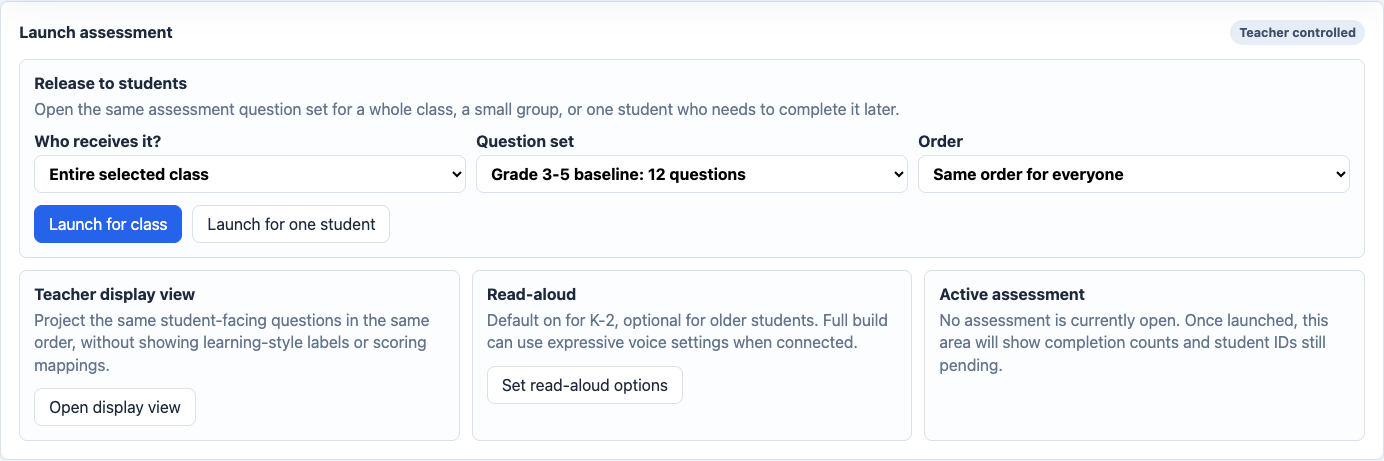
The teacher sees class patterns and individual student profiles without exposing labels to students.
Upload a file or paste the lesson text, then choose the grade, subject, and objective style.
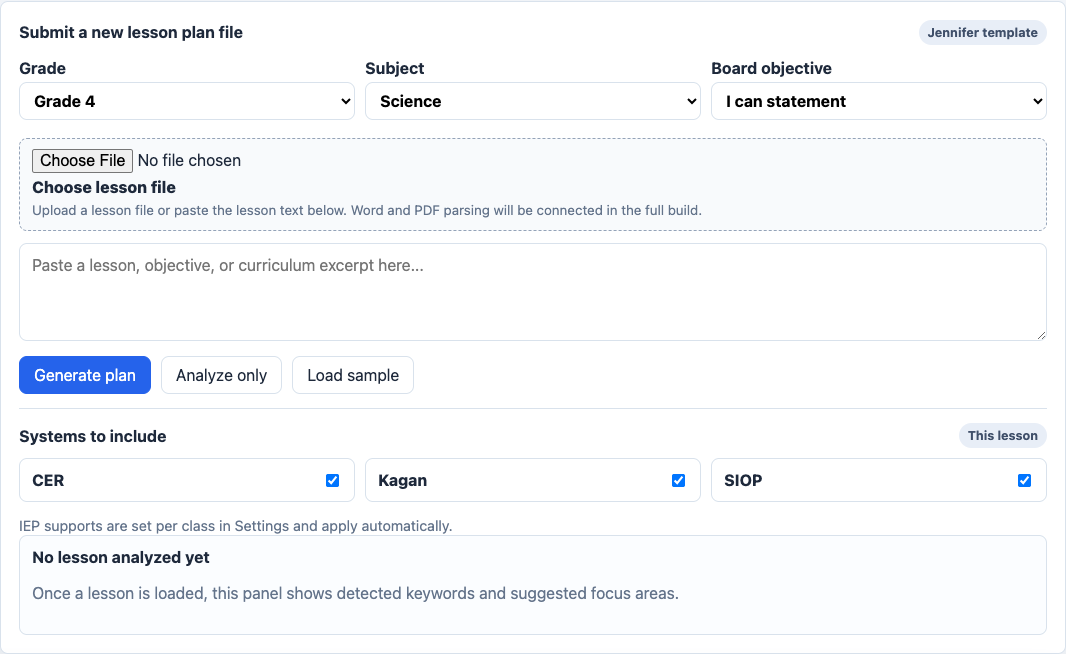
The output includes strategies, standards, supports, organizers, and board-ready language.
What Users See
Simple views for students, teachers, and the generated lesson document.
Student check-in
Pick what would help you most.
See a food web diagram
Talk it through with a partner
Students answer friendly, age-appropriate questions without seeing the learning-style categories.
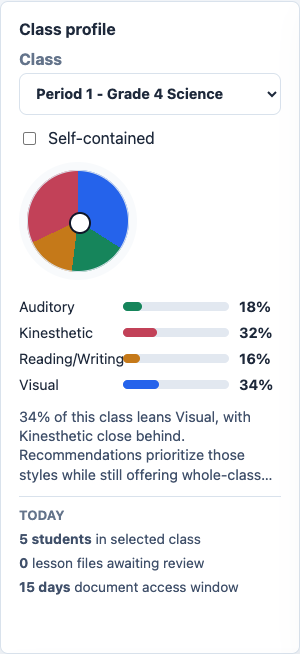
Class profile
Visual34%
Kinesthetic32%
Auditory18%
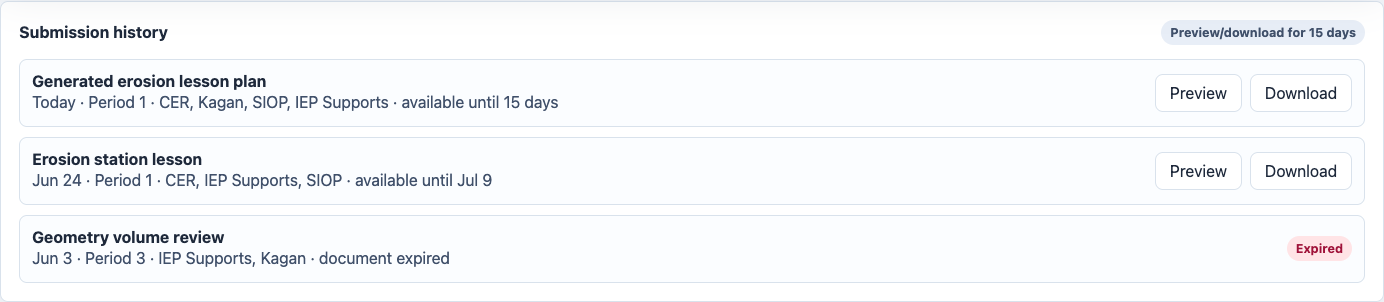
Teachers see class patterns, student profiles, submission history, launch tools, and class settings.
Generated lesson
CERSIOPIEP
Board objective: I can explain how water changes land over time using evidence.
Support: “My evidence shows ___ because ___.”
The plan gives concrete teacher language, standards, strategy placement, and supports teachers can actually use.
High-Level Training
Lesson Mentor teaches the process while it helps you plan.
Teachers can browse the strategy library by system, grade, subject, and fit. They can also see why a strategy was recommended, how it connects to student needs, and where it belongs inside the lesson.
Strategy libraryShort descriptions, filters, and recommendations.
Question bankAssessment questions stay consistent for the class while teacher mappings remain private.
Document historyPreview and download generated lessons for 15 days, with history retained as a line item.
Pricing
Simple access for teachers, teams, and schools.
Final pricing can be adjusted before launch. These tiers give the page a clear sales structure while we decide the exact numbers.
For one teacher managing their own classes, student profiles, lesson submissions, and generated documents.
Price TBDFor grade-level teams, departments, or small schools that need shared setup and multiple teacher accounts.
Price TBDFor school-level onboarding, FERPA-safe roster support, payment management, and account oversight.
CustomPortals
Each role gets the tools they need.
Access rights decide what a user sees after login. A teacher sees teacher tools. A team lead or school user can receive school-level access. Owner admin stays separate for full account management.
TeacherLesson generation, class setup, student profiles, assessment launch.
StudentID-based assessment flow with badge choice and read-aloud support.
SchoolSchool-level setup, FERPA-safe roster support, shared library access.
Owner AdminManage teacher accounts, school accounts, billing, libraries, and system settings.